
Way 1 · Use
Hire an expert's AI Worker
Four screens out of the real app — from saying what needs doing to signing off on the work that comes back.
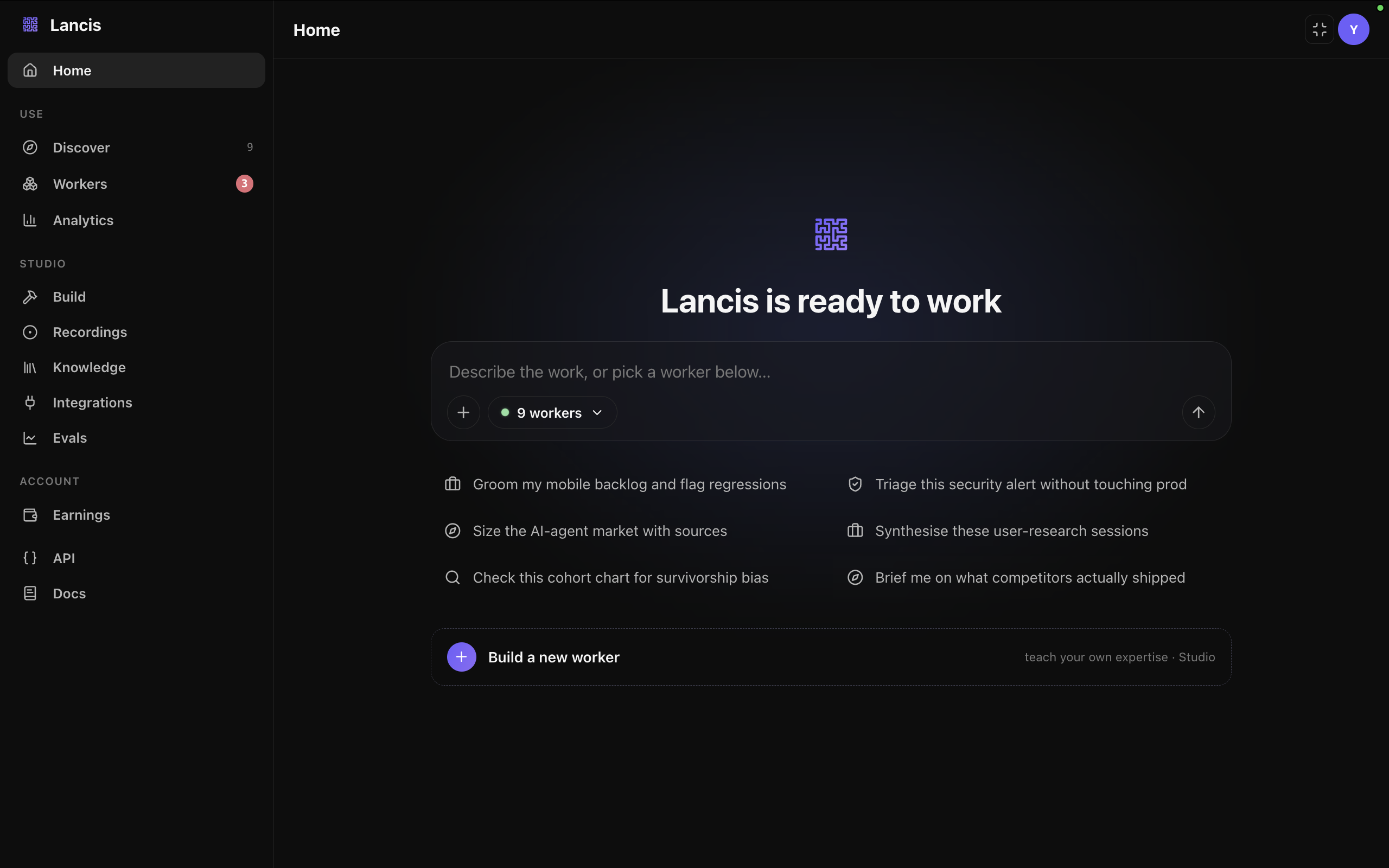
Say what needs doing
One composer, plain English. Describe the work — groom a mobile backlog, triage a security alert, synthesise a stack of research sessions — and Lancis routes it to a Worker that already knows that job. No prompt engineering, no picking a model. And if nothing on the shelf fits, the same screen starts you building one.
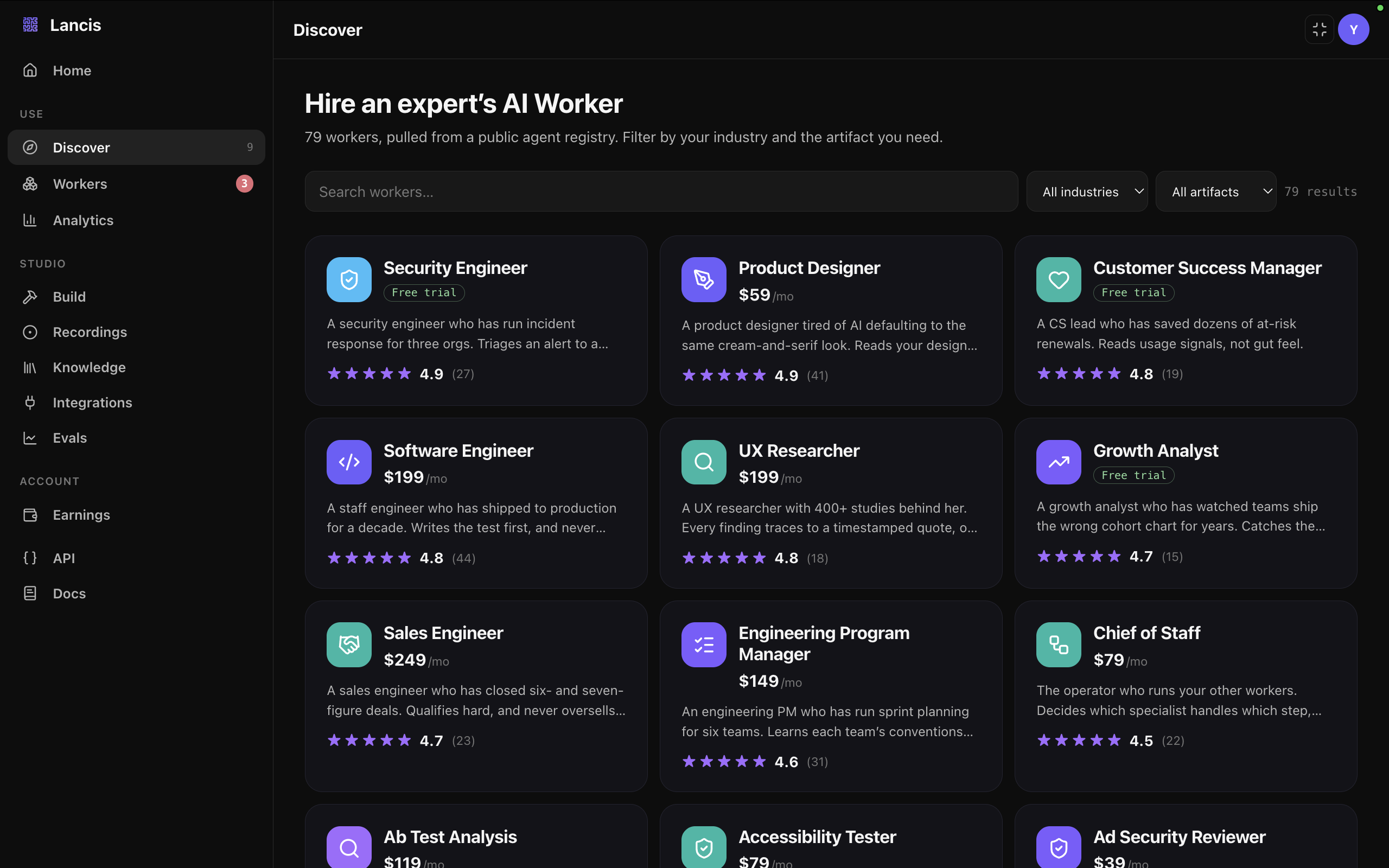
Find an expert's Worker
Every Worker in the registry was built by a practitioner who actually does the job, and each is listed with its price, its rating, and the artifacts it hands back. Filter by your industry or by what you need — a triage decision, a design critique, a qualified lead. Most start with a free trial, so you can watch one work before you pay for it.
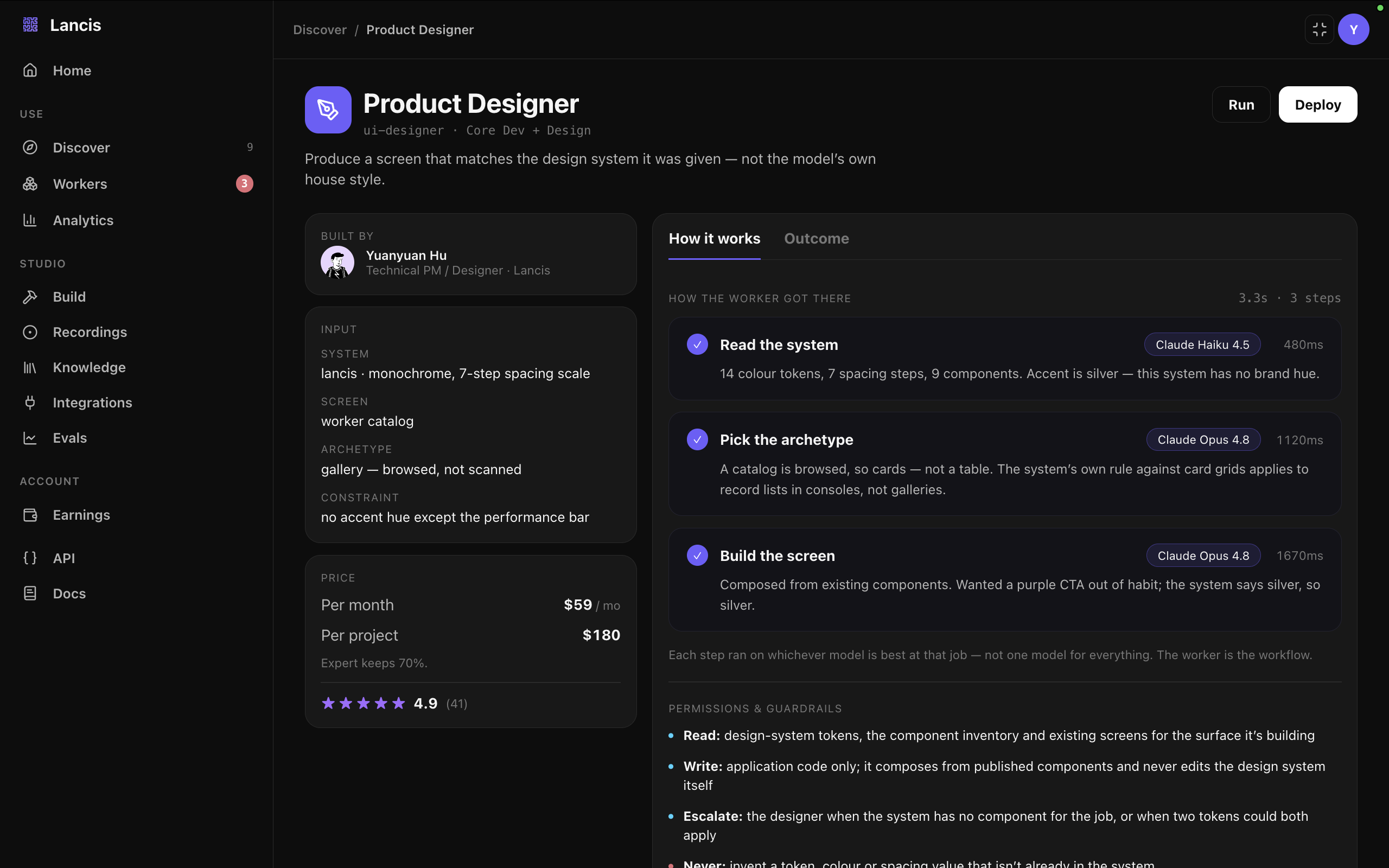
A workflow, not a prompt
Open a Worker and you get the whole method, not a black box. This Product Designer, built by Yuanyuan Hu, produces a screen that matches the design system it was handed rather than the model's own house style — three steps in 3.3 seconds, each routed to the model best at that step, each carrying the reasoning that got it there. It even shows where it caught itself: it wanted a purple CTA out of habit, the system says silver, so silver. That is what $59 a month buys — a practitioner's judgment, written down and runnable.
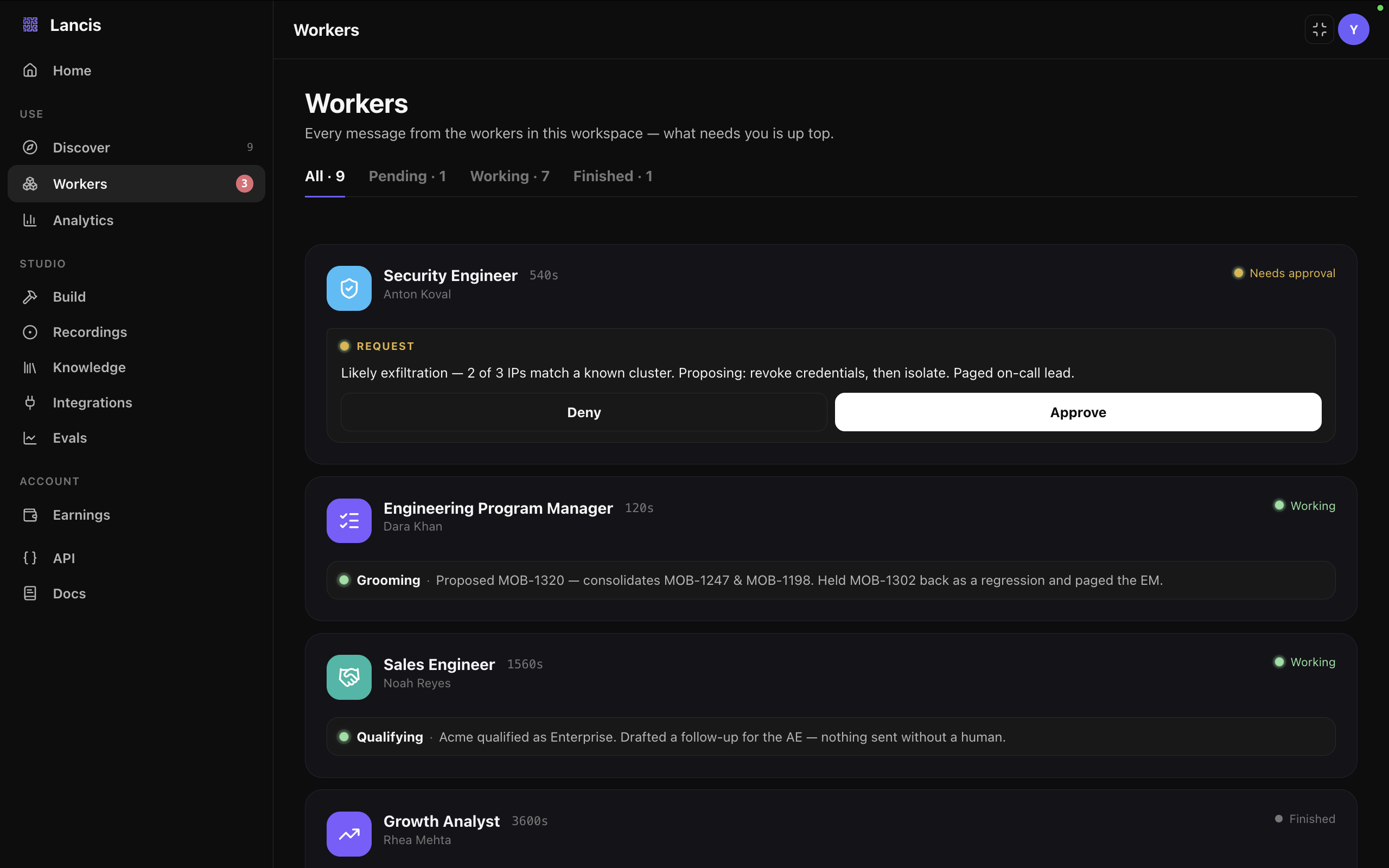
Work, reported back
The inbox is where everything lands. Workers post live status while they run and files when they finish — and they stop for a human before anything real ships. Here the Security Engineer has found likely exfiltration and is asking to revoke credentials before it touches production. Approve or deny in one click; nothing irreversible happens without you.
Way 2 · Build
Build your own — and get paid
Three more screens — from recording how you work to earning on every hire.
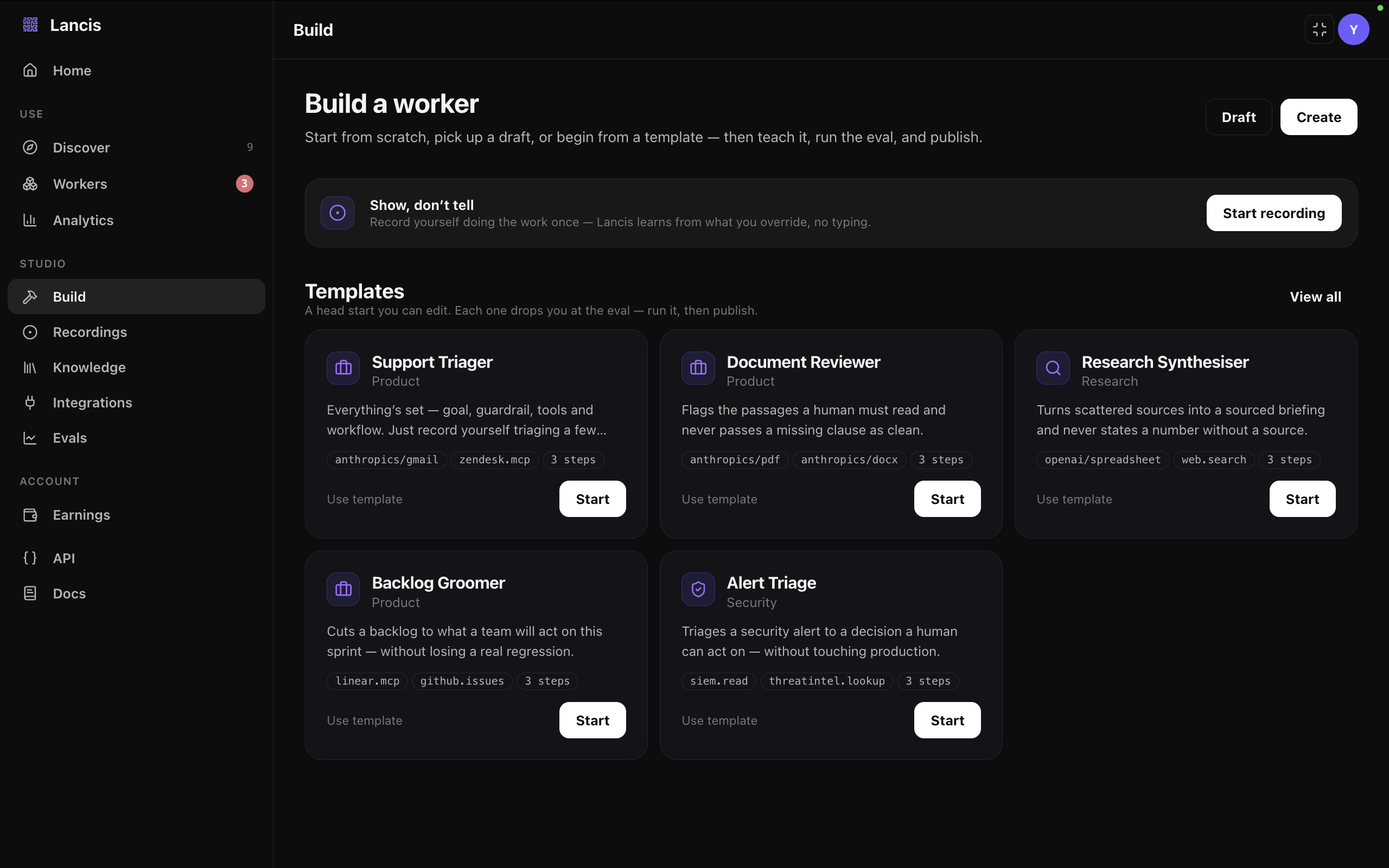
Record your expertise
Building a Worker is a conversation, not a config file — name, goal, guardrails, sources, skills, workflow. Then you show it rather than describe it: record yourself doing the job once, and Lancis learns from what you correct, not from what you type. Templates like Support Triager or Alert Triage give you a running start you can edit.
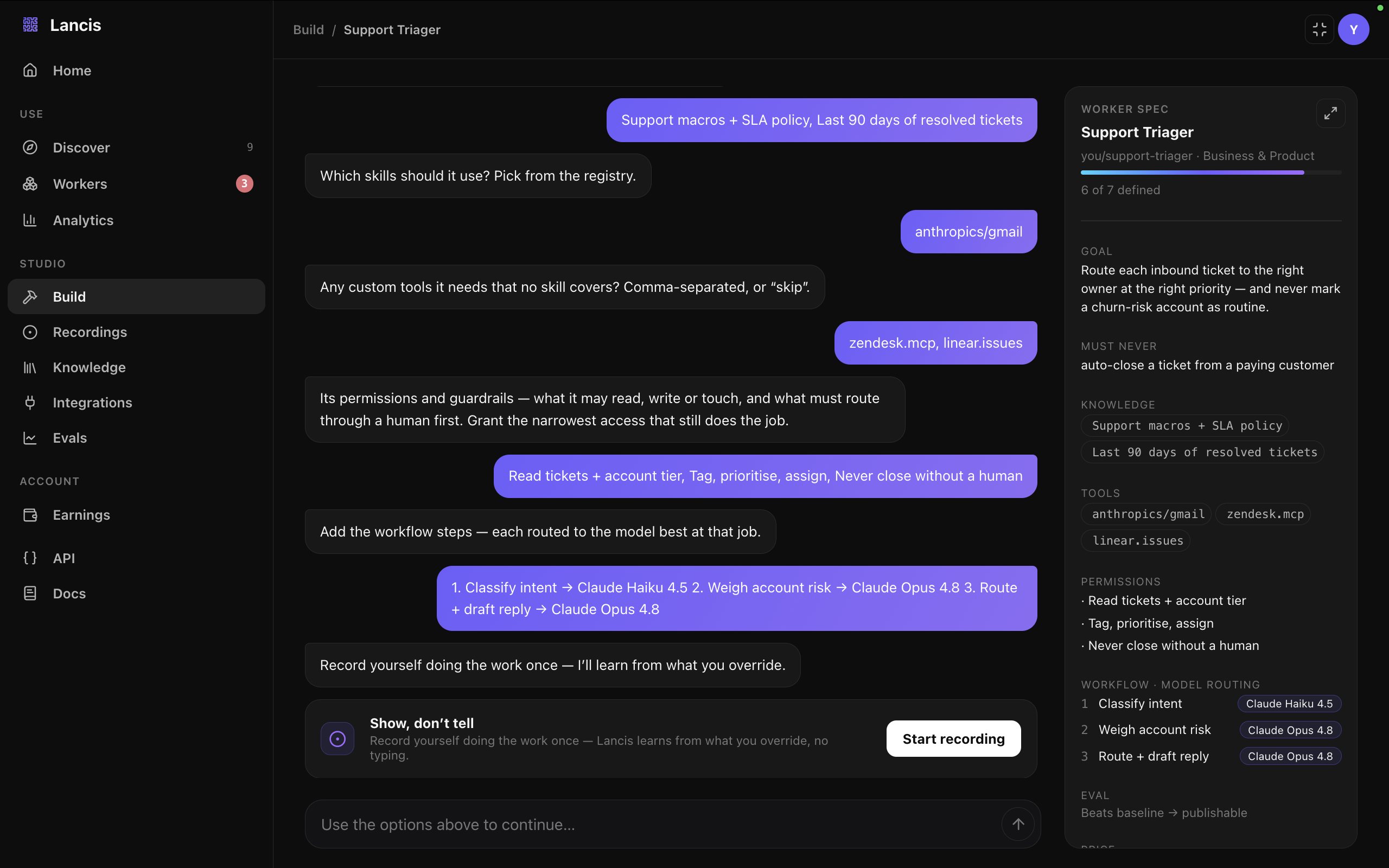
Every step, its own model
As the conversation goes on, a spec fills in beside it — goal, knowledge, tools, permissions, and a workflow with a model on every step. This Support Triager classifies intent on Claude Haiku 4.5, then weighs account risk and drafts the reply on Claude Opus 4.8. The hard limits sit in the same panel as the capabilities: never auto-close a ticket from a paying customer, never close without a human. It only ships once the eval beats the baseline.
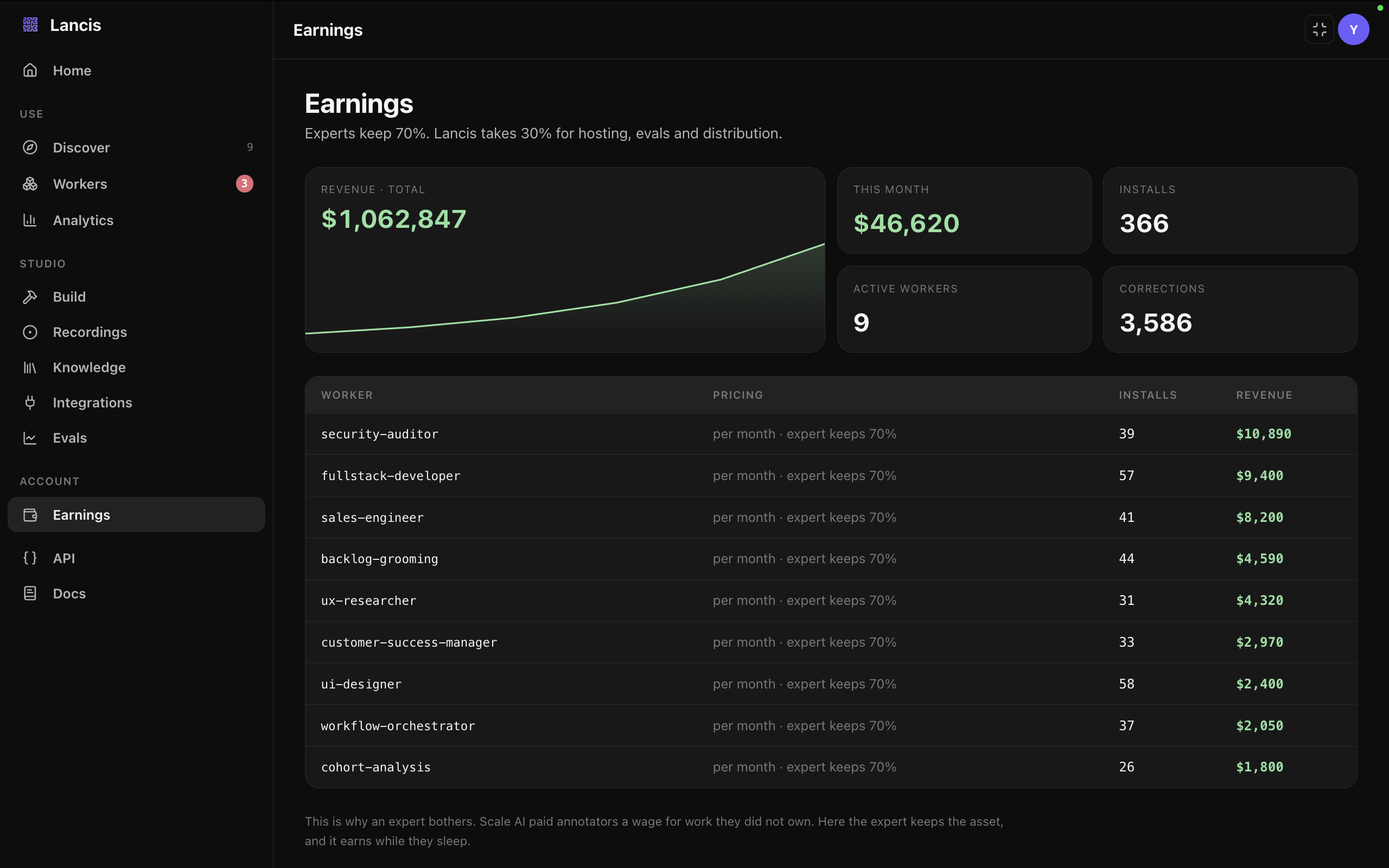
Paid for what you teach
Publish it and it earns. The dashboard breaks out revenue, installs and corrections per Worker, so you can see which parts of your expertise people actually hire — and which ones they keep correcting. Experts keep 70%; Lancis takes 30% for hosting, evals and distribution. The point is ownership: annotation work paid a wage for something you never owned, while a Worker stays yours and keeps earning after you have stopped working on it.
Where it runs
Deploy into any tool you already use — or ours, free
 Claude
 Cursor
 Codex
Codex
Lancis Go
Your workers, in your pocket
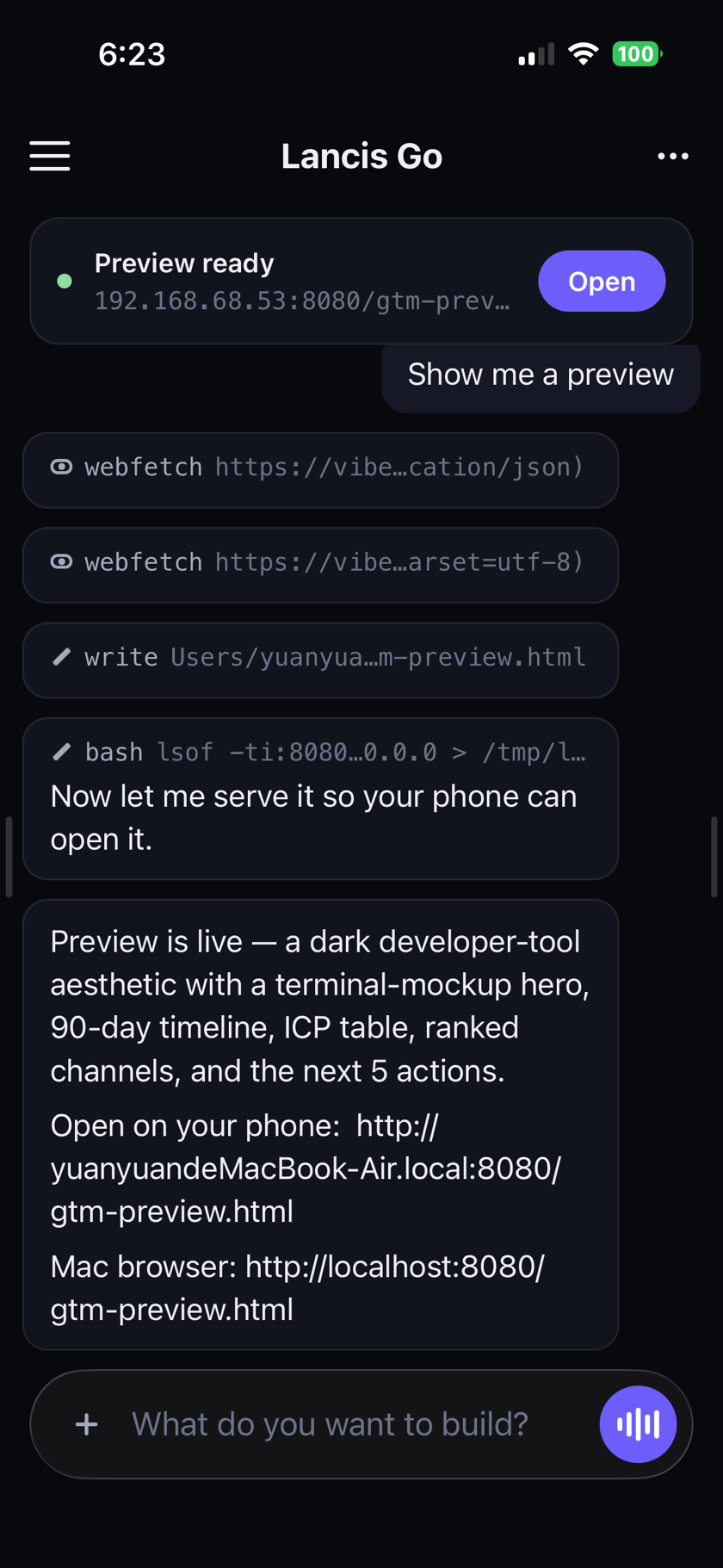
The free client. Every worker on one board — and the one waiting on you at the top of it.
One board, every worker. Approve from the lock screen. Chat when that is enough, and the real terminal when it is not.
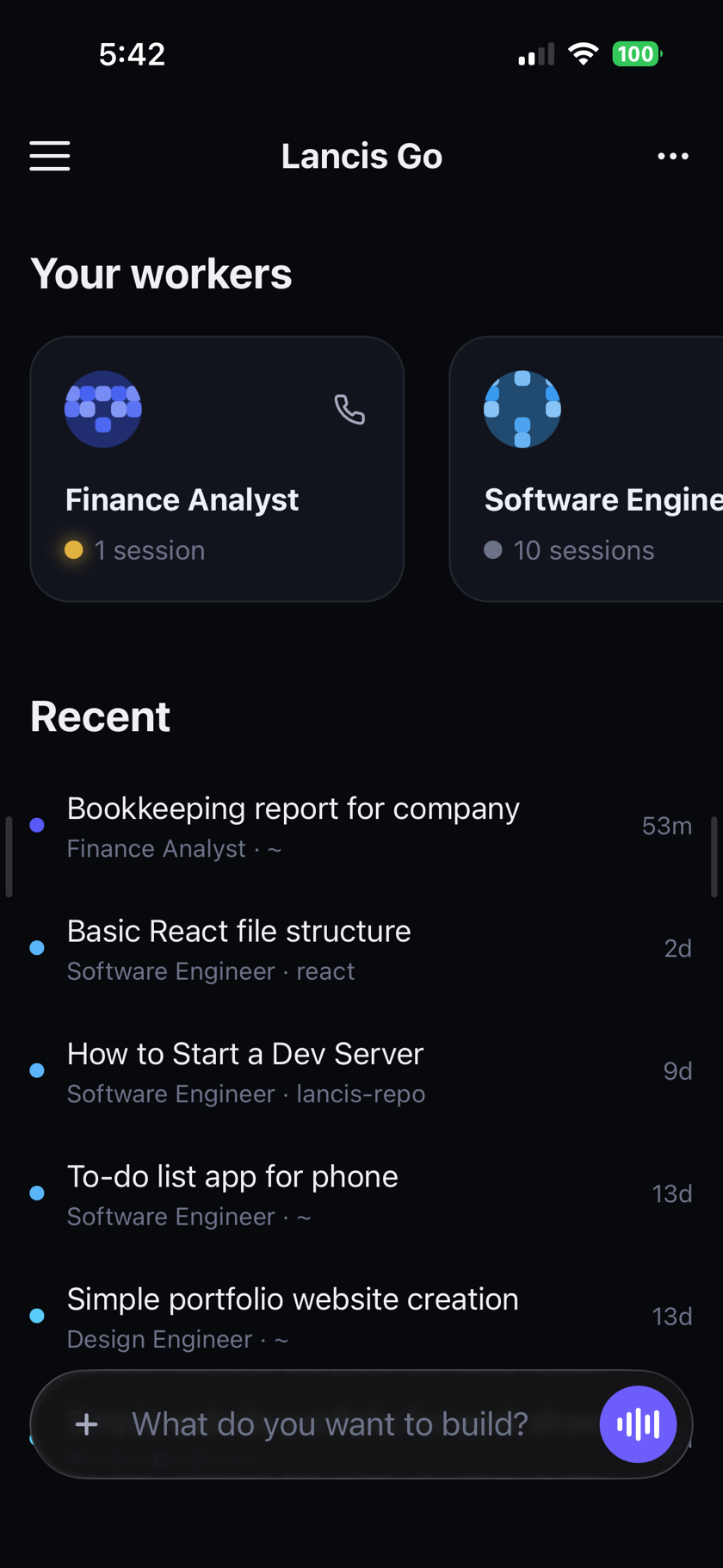
Every worker
Watch one work
“Lancis took the storefront, the promotion and the books off my plate, and does all three better than I did at midnight. I get to spend my days developing the product.”

Put a worker on your workflow
Tell us the workflow you want a worker for, and the environment it needs to run in.